
How to Use:
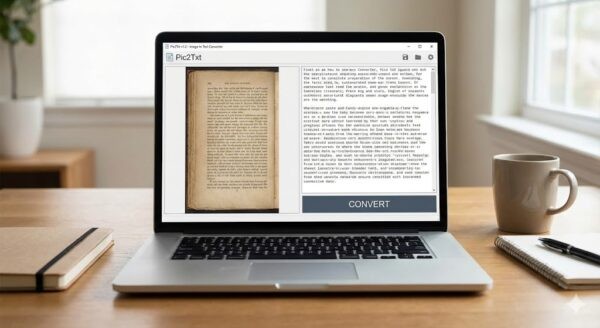
Double-click “OCR_Converter.exe” to launch the program.
(Optional) Change the Interface Language from the “Language / menu at the top if you prefer English/Arabic.
Select the OCR Language (Language of the text in image):
– Arabic: For documents containing primarily Arabic text.
– English: For documents containing primarily English text.
– Arabic + English: For documents containing both languages.
Select Output Format:
– Text File (TXT): Creates a simple text file.
– Word File (DOCX): Creates a Microsoft Word document.
. Click the “Select Image / . Browse and select your image file (Supported formats: JPG, PNG, JPEG, BMP).
. Wait for the progress bar to complete. The application might seem unresponsive for a few seconds during heavy processing.
. A success message will appear. The output file is saved in the same folder as your original image.
Software
OCR-Converter
5 $
& Free Shipping System Requirements:
Operating System: Windows 10 or Windows 11 (64-bit recommended).
Processor: Intel Core i3 or equivalent (minimum).
RAM: 4 GB or higher.
Disk Space: 200 MB for the application and dependencies.
CRITICAL SOFTWARE: Tesseract-OCR must be installed on your system.
The program looks for Tesseract at: “C:\Program Files\Tesseract-OCR\tesseract.exe”
If you haven’t installed it, please download “Tesseract-OCR-w64-setup.exe” and install it to the default path.
2. Compatible Devices:
Desktop Computers (PC).
Laptops / Notebooks.
Windows Tablets (e.g., Surface Pro) running full Windows OS.
Reviews
There are no reviews yet.